Vilonity Launcher Setup: Sign-In and Product Selection
Disable Antivirus Software
To download and run our program, you must disable Windows Defender and remove any third‑party antivirus software if installed.
Important
Remove any installed antivirus software, as it may block connections to the server and interfere with proper operation.
Check if Web Companion is installed. If it is, uninstall it.
After removing all additional security software, restart your PC and disable Windows Defender.
Why not just add the program to exclusions?
Each launch of the program creates a new build to protect against detection and blocking. Since a new build is generated and the program hash changes, adding it to exclusions will not work reliably.
Disable Windows Defender
- If a third‑party antivirus is installed, uninstall it first.
- Open Windows Settings.
- Go to Update & Security.
- Select Windows Security → Virus & threat protection → Manage settings.
- Turn off Real‑time protection and Cloud‑delivered protection.
Launch the Program
After completing the steps above, start the launcher.
Sign in to the launcher
- In the Loader window, enter the login or email and password you set when registering on the website.
- Click Sign In.

Select a product
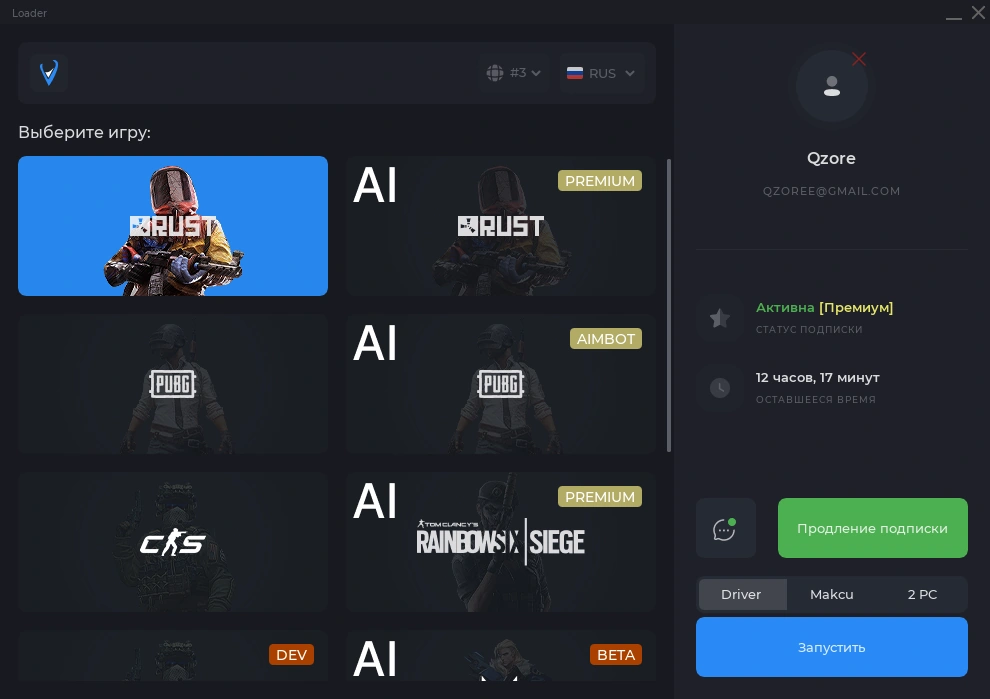
After signing in, a window with the list of available products will open.
- Pick the product you want.
- Click Launch — the product window will open.
Notice
Run the program before starting the game. This is a general instruction and applies to all games.